

How to access our journals
Some members have encountered problems with our journals portal link from within the My IOM3 area. Here is another route for getting free member access to our journals content.
1. Go to https://journals.sagepub.com/iom3
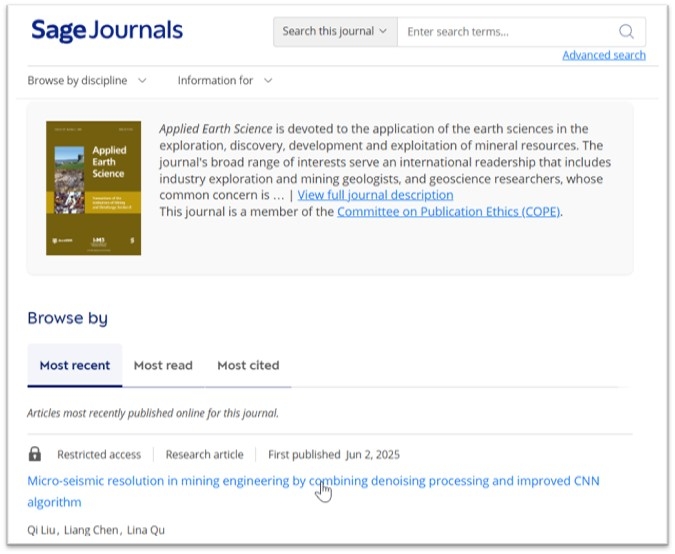
2. Browse the IOM3 journals to find the paper you wish to read and click on the title link:
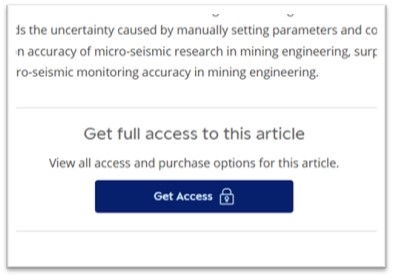
3. Under the abstract for the paper click 'Get access':
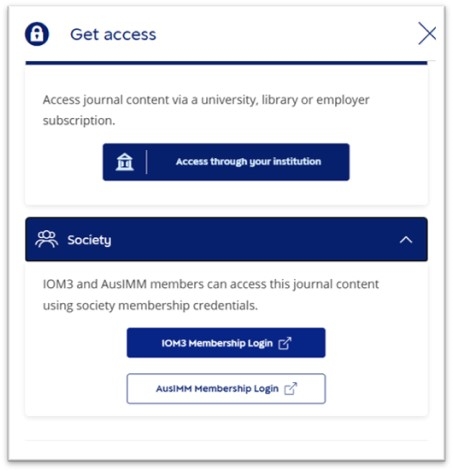
4. In the 'get access' sidebar that pops out, click 'Society' and then on 'IOM3 membership login':
5. This then takes you to the IOM3 website login. If you are already logged into our site as an active member you will instead be taken directly to the paper you clicked on (step 7).
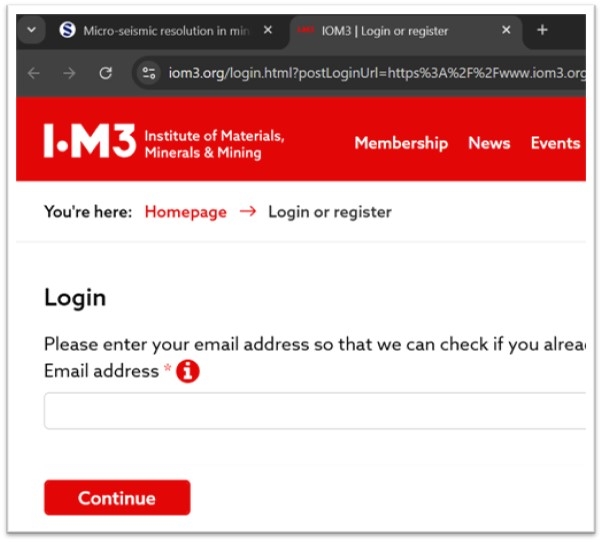
6. (If you are not already logged in) Enter your IOM3 member email and password and click 'continue'.
7. You will then be logged into the Sage website. If the paper you wish to read is in another browser tab, reload it and it will now give full access.

You should also see in the top right of the Sage website that you are logged in with IOM3 access:
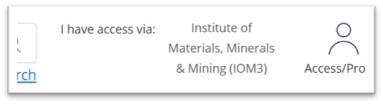
This means you can then go back to https://journals.sagepub.com/iom3 to browse all our journals and you will have unrestricted access to all of them.